

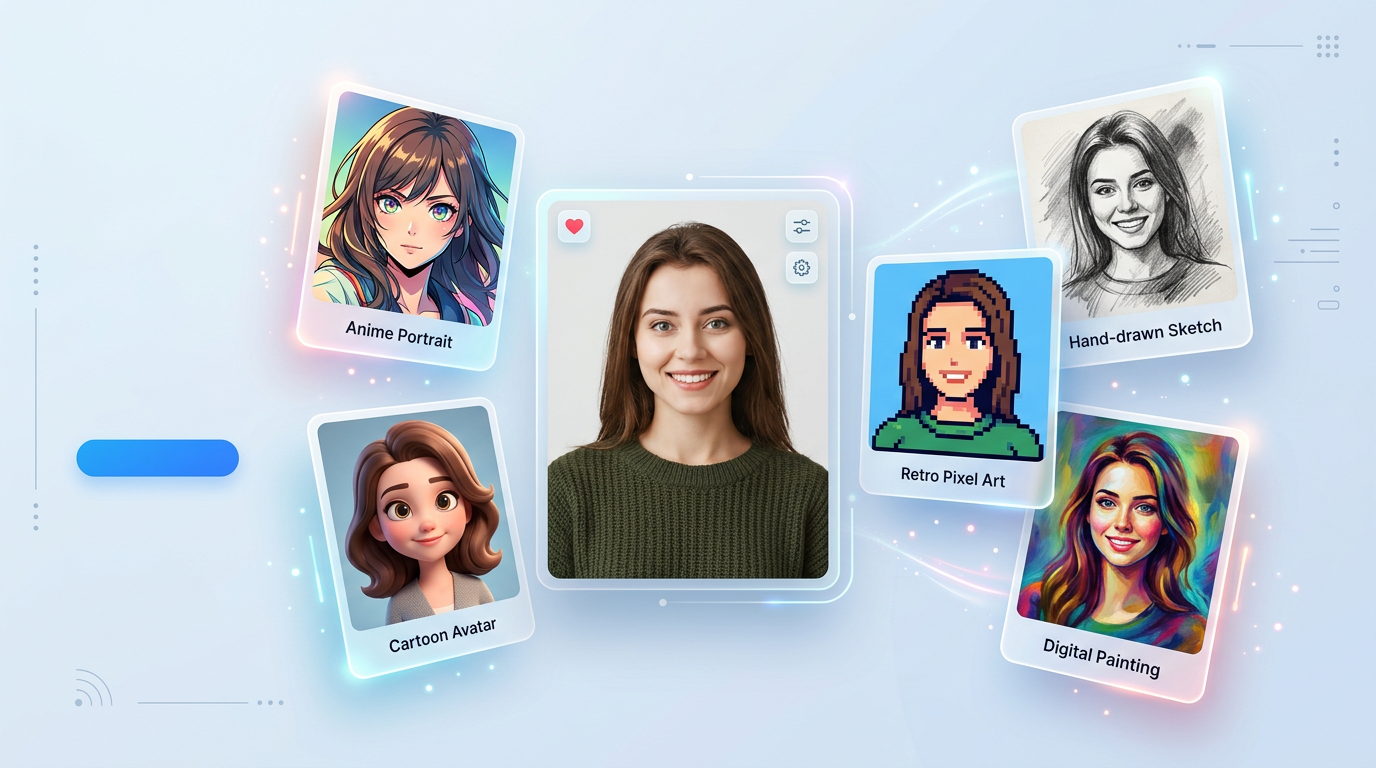
Best AI Filters Online with HOTPIC: Transform Photos into Anime, Cartoon, Pixel Art, and More
Not every photo needs heavy editing. Sometimes you just want a faster way to make an image feel more fun, more stylish, or more shareable.
That is why AI filters have become one of the easiest ways to transform photos online. Instead of learning manual editing tools, you can upload an image and restyle it in seconds. With tools like HOTPIC AI Filters, it becomes much easier to turn a normal photo into anime art, cartoon-style portraits, pixel art visuals, sketch effects, and other creative looks.
If you are exploring the best AI filters online, this guide breaks down what they are, which styles are worth trying, and how to get better-looking results without making the whole process annoyingly complicated.
What Are AI Filters?
AI filters are photo effects powered by artificial intelligence. Unlike basic image filters that only tweak brightness, saturation, or contrast, AI filters can actually reinterpret a photo in a new visual style.
For example, an AI filter can transform a regular image into:
- an anime-style portrait
- a cartoon avatar
- a pixel art image
- a sketch-style illustration
- a painting-inspired visual
- a more stylized social-ready photo
- The point is not just to “edit” a photo. The point is to change how it looks creatively while still keeping the subject recognizable.
- That is why tools like HOTPIC AI Filters are useful for people who want quick style changes without opening complicated design software.
Why AI Filters Are So Popular
- AI filters are popular because they are fast, visual, and low effort.
- People use them for all kinds of lightweight creative needs, including:
- profile pictures
- social media posts
- stylized avatars
- creator branding
- shareable visual content
- experimenting with different art styles
- A big part of the appeal is speed. You do not need layers, brushes, masks, or a long tutorial. You upload a photo, choose a style, and let the AI do the heavy lifting.
- Frankly, that convenience is the whole point.
Popular AI Filter Styles to Try
- Different styles work for different goals. Some are better for portraits, some for fun social content, and some for more artistic experimentation.
- Here are some of the most popular AI filter styles you can try.
- 1. Anime Filter
- Anime filters are one of the most popular choices because they can turn portraits into expressive illustrated characters with strong visual identity.
- Best for:
- profile pictures
- creator avatars
- fandom content
- social media visuals
- Why people like it:
- highly recognizable style
- flattering for portraits
- visually polished even from simple input photos
- 2. Cartoon Filter
- Cartoon filters usually feel lighter and more playful. They are great for turning photos into softer, more colorful, and more casual visuals.
- Best for:
- fun portraits
- social posts
- casual branding
- shareable profile images
- Why people like it:
- approachable look
- bright and friendly style
- works on many types of portraits
- 3. Pixel Art Filter
- Pixel art filters give images a retro gaming feel. They are especially useful for playful profile icons, gaming communities, or internet-native content.
- Best for:
- gaming visuals
- retro avatars
- community content
- meme-friendly style experiments
- Why people like it:
- nostalgic look
- distinctive style
- easy to recognize at smaller sizes
- 4. Sketch Filter
- Sketch filters turn a normal photo into something closer to a drawing. This is useful when you want a softer, more artistic effect without going full fantasy or heavy stylization.
- Best for:
- portrait photos
- minimal creative content
- artistic profile visuals
- concept-style images
- Why people like it:
- simple and elegant
- less loud than anime or cartoon
- often works well with clear subject photos
- 5. Painting or Illustration Filter
- Painting-style AI filters create more expressive, art-driven visuals that feel closer to digital artwork than standard editing.
- Best for:
- creator visuals
- stylized portraits
- mood-driven social graphics
- creative experiments
- Why people like it:
- strong visual identity
- more artistic output
- useful for exploring different styles quickly
How to Get Better Results with AI Filters
- Not every source image gives the same quality result. AI filters usually work best when the original photo is clear and easy to interpret.
- Here are a few practical tips.
- Use a Clear Main Subject
- A photo with one obvious subject usually works better than a busy scene. If the person, face, or object is easy to isolate visually, the filter can preserve it more cleanly.
- Start with Better Lighting
- Photos that are too dark, too noisy, or too blurry often produce weaker outputs. Better lighting helps the AI understand edges, shapes, and facial details.
- Avoid Overly Busy Backgrounds
- Crowded backgrounds can make stylization messy. If the image is visually cleaner, the final result often looks more polished.
- Match the Style to the Photo
- Anime and cartoon styles usually work especially well for portraits. Sketch filters may look better on simple photos with clear shapes. Pixel art works for fun, but it may lose detail in complex scenes.
- Try More Than One Filter
- Sometimes the first style is not the best one. A photo that looks average in one filter may look great in another. That is one of the biggest benefits of using a tool like HOTPIC AI Filters—you can explore different looks quickly instead of committing to one style too early.
Best Use Cases for HOTPIC AI Filters
- AI filters are not only for messing around, even though that is obviously part of the fun.
- They are useful for:
- turning selfies into stylized avatars
- creating better-looking profile pictures
- making social media visuals more eye-catching
- testing visual directions for creator branding
- generating playful content for communities
- refreshing old photos with a new aesthetic style
- For a lot of people, the value is straightforward: more visual variety with less effort.
- That is exactly where HOTPIC AI Filters fits well. It gives users a fast way to transform ordinary photos into more distinctive visual styles without dragging them through a complicated workflow.
AI Filters vs Traditional Photo Editing
- Traditional editing software is powerful, but it is often overkill for this kind of task.
- If your goal is to make a photo look like anime, cartoon, pixel art, or sketch-style artwork, manual editing usually takes more time, more skill, and more patience.
- AI filters solve a different problem. They are useful when you want to:
- move fast
- experiment with styles
- avoid technical editing steps
- generate something visually fun or usable right away
- That does not mean AI filters replace professional software. It just means they are better for users who want a result now instead of a small side quest in image editing.
Try HOTPIC AI Filters Online
- If you want an easy way to turn your photos into anime, cartoon, pixel art, sketch, or other stylized looks, HOTPIC AI Filters gives you a quick online workflow without extra editing hassle.
- With HOTPIC, you can:
- upload your image
- choose a style direction
- generate a transformed version fast
- try multiple visual looks until one fits
- Whether you want a fun avatar, a creative social image, or just a fresh style experiment, the tool is built for quick visual transformation.
- Try HOTPIC AI Filters here:
- https://hotpic.ai/ai-filters
Final Thoughts
- AI filters are popular for a simple reason: they reduce friction.
- You do not need advanced software, editing experience, or a lot of setup to make a photo feel different. You just need a decent source image and a tool that can restyle it quickly.
- The best AI filters help you:
- change style fast
- keep the subject recognizable
- experiment with multiple looks
- get a result that actually feels usable
- If that is what you want, HOTPIC AI Filters is a straightforward place to start. Fast transformation, low effort, and less of the usual design-tool nonsense.